






How Privacy Masking in CCTV Works and When to Use It

Key Takeaways
Privacy masking in CCTV blocks defined areas from recording entirely, helping UK property owners and businesses meet data protection obligations without repositioning cameras.
- Privacy masking applies a permanent visual block at the point of capture, meaning masked areas are never stored or transmitted, which carries more weight for compliance than software level edits applied after recording.
- Camera level masking is more reliable than NVR or software level masking because the protected area is obscured before image data leaves the device, regardless of what system receives the feed.
- In the UK, domestic cameras that capture footage beyond your own property boundary bring responsibilities under UK GDPR, and privacy masking is one of the most practical ways to address boundary and compliance concerns without physically moving the camera.
- For commercial installations, masking sensitive areas such as staff welfare rooms and toilet entrances is part of a wider compliance obligation and should be accompanied by a formal written CCTV policy, not treated as a standalone technical fix.
- After configuring masking settings, verify the block is present in the camera web portal, in recorded footage, and in any remote access outputs such as mobile apps, since a mask visible only in the NVR interface may not be applied at the device level.
Privacy masking in CCTV is a feature that rarely gets attention during installation, but becomes immediately important the moment a neighbour raises a concern, a staff member asks a question, or a compliance review flags an issue. In simple terms, it blocks specific areas of a camera’s view so they are never recorded or displayed. Understanding how it works, when it matters legally, and how to set it up correctly is useful for any property owner or business operator using surveillance in the UK.
As part of the broader subject of smart CCTV analytics explained, privacy masking sits alongside features such as motion detection and line crossing detection cameras, but it serves a distinct purpose. Rather than triggering alerts or flagging activity, it removes areas from view entirely to protect individuals who should not be under surveillance.
What Privacy Masking in CCTV Actually Does
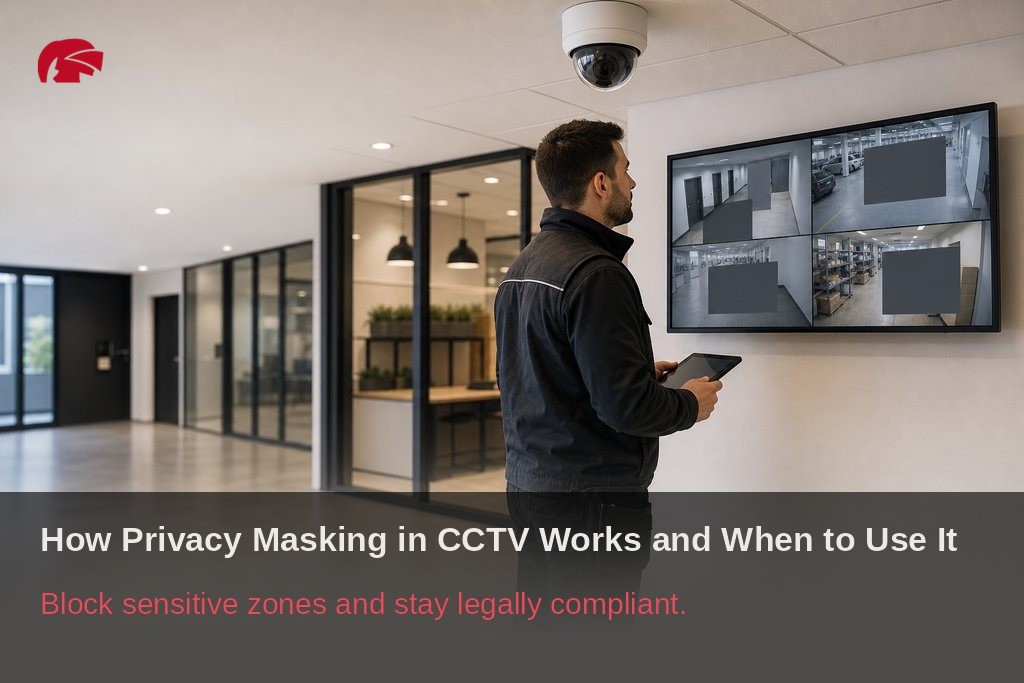
Privacy masking applies a permanent visual block to a defined area within a camera’s field of view. In the live feed and all recordings, that zone appears as a solid colour, blurred region, or pixelated block, depending on the system. The footage within that zone is never stored or transmitted.
This is not a post-processing edit applied after recording. The block is applied at the point of capture, which is a meaningful distinction for compliance purposes.
There are two main types of privacy masking:
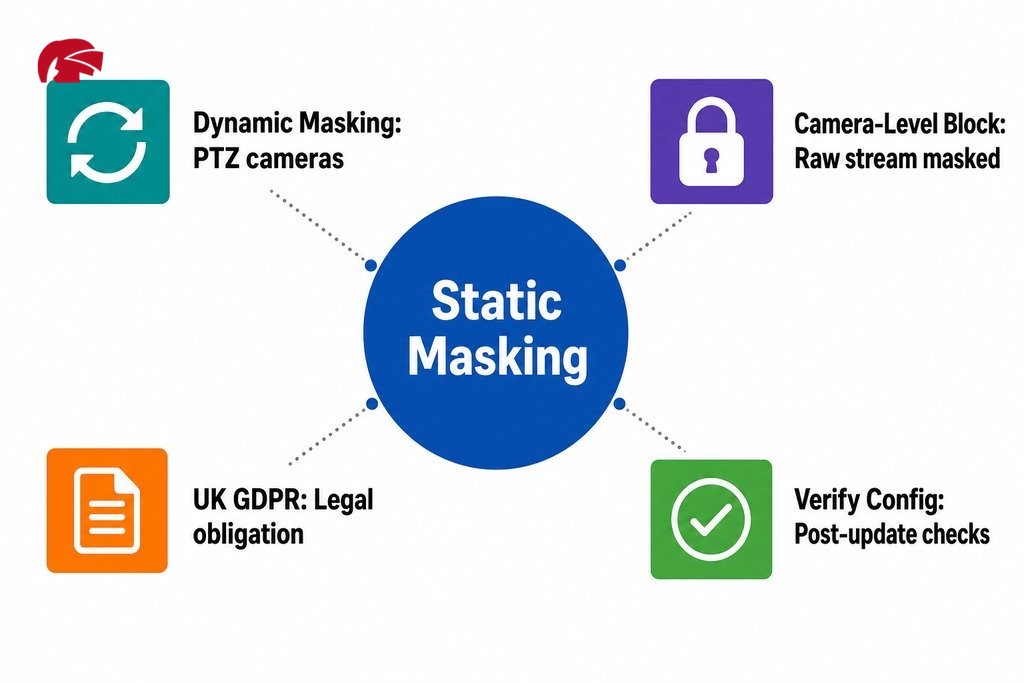
Static masking places a fixed block over a set area, remaining in place regardless of what happens in the scene. This is suitable for most fixed cameras in homes and small businesses.
Dynamic masking, available on more advanced systems, detects and obscures moving people or objects in real time, even when the camera is panning or zooming. According to the British Security Industry Association, dynamic masking is specifically required for PTZ cameras to maintain zone integrity across pan and zoom movements.
| Masking Type | How It Works | Best Suited For | PTZ Compatible |
|---|---|---|---|
| Static masking | Fixed block over a defined area; does not move | Fixed cameras in homes and small businesses | No |
| Dynamic masking | Detects and obscures moving subjects in real time | PTZ cameras that pan, tilt, or zoom | Yes |
What Is a Camera Privacy Zone?
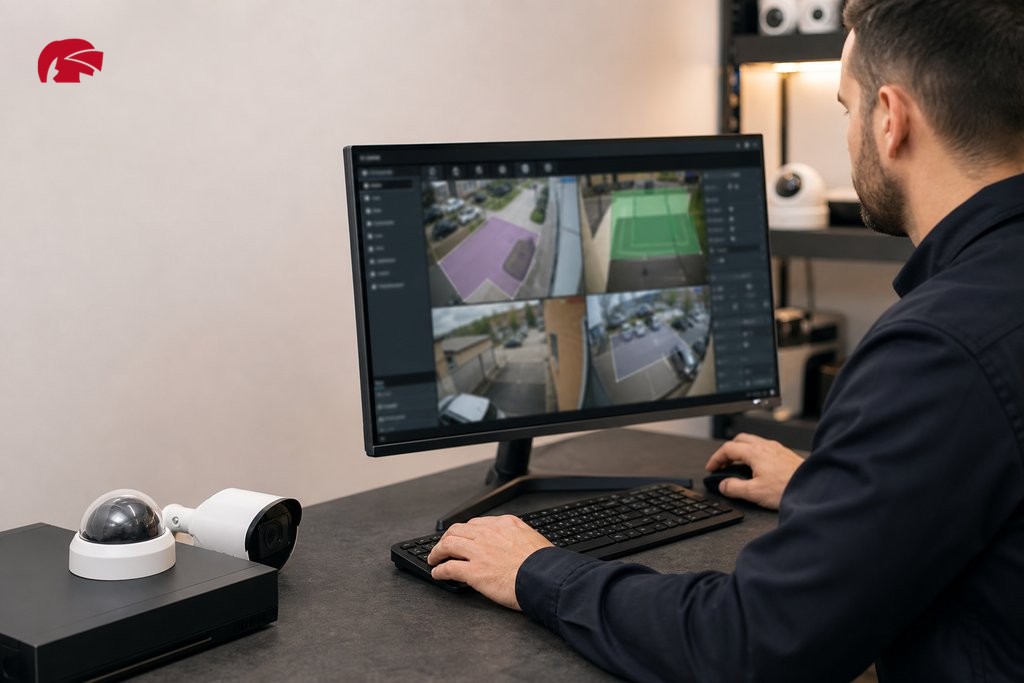
A camera privacy zone is the specific region within the camera frame that has been designated for blocking. Most modern cameras and NVR interfaces allow you to draw a rectangular or polygonal shape over the live view within the configuration software. Once saved, the system renders that area as a solid block in all outputs, typically a black or grey rectangle, though some systems offer a mosaic or blur effect.
Camera-Level vs Software-Level Masking
Camera-level masking processes the block within the camera’s own firmware before the image is transmitted. The masked area is obscured in the raw stream itself, regardless of which NVR or software receives it. This is the more reliable approach for CCTV privacy protection, because the sensitive data never leaves the device in viewable form.
Software-level masking, applied at the NVR or video management system, only blocks the area in that specific output. If the stream is accessed another way, the mask may not apply. For compliance purposes, camera-level masking is the stronger option.
| Masking Approach | Where Block Is Applied | Applies to All Stream Outputs | Recommended for Compliance |
|---|---|---|---|
| Camera-level masking | Within the camera’s own firmware | Yes, masked in the raw stream | Yes |
| Software-level masking | At the NVR or video management system | No, only in that specific output | Less reliable |
Which Areas Are Most Commonly Masked?
The following areas are the most frequently masked in domestic and commercial installations:
- A neighbour’s garden, windows, or entrance visible within a wide field of view
- Public pavements or roads that fall outside the property boundary
- Changing room entrances, toilet doors, or welfare areas in commercial premises
- Windows of adjacent buildings captured by wide-angle cameras
Any zone where individuals have a reasonable expectation not to be monitored should be considered for masking during the planning stage of any installation.
Is Privacy Masking Legally Required in the UK?
In the UK, CCTV cameras that capture images beyond your own property boundary fall under data protection legislation. The Information Commissioner’s Office (ICO) is clear that if a domestic camera records footage of a neighbour’s property, a shared driveway, or a public pavement, the operator takes on responsibilities under UK GDPR, even if the camera was installed purely for home security.
Research published by the Home Office Research, Development and Statistics Directorate found that public acceptance of CCTV is rooted in limited and sometimes inaccurate understanding of how surveillance systems actually work. Many homeowners and small business owners genuinely do not realise that a wide-angle camera pointing at a street or shared space may be capturing data that falls under regulatory oversight.
Privacy masking is one of the most practical and widely accepted ways to resolve boundary disputes or ICO compliance concerns, without needing to physically reposition or remove a camera. This applies equally whether the installation is a terraced house in Salford, a retail unit in the Northern Quarter, or a warehouse on the outskirts of Greater Manchester.
When Masking Alone Is Not Enough
Masking resolves many issues quickly, but it is not always a complete solution on its own. There are situations where additional steps are required:
- If a neighbour’s complaint centres on the camera’s physical position rather than what it records, no software setting will fully address that concern.
- For business operators, a camera’s visible housing can affect staff behaviour, which may require a privacy impact assessment or a formal CCTV policy, not just a technical configuration.
- Businesses in regulated sectors such as healthcare or childcare should review the ICO’s sector-specific guidance directly and consult a legal adviser where appropriate.
How to Configure Surveillance Privacy Settings
The general process is consistent across most professional systems. Access the camera’s web interface or the NVR management portal, then navigate to the privacy masking or privacy zone section within the video settings. Draw the zone over the live view, align it with the area you need to protect, and save the configuration to the device.
On Dahua systems, the NVR interface allows multiple zones to be defined per camera, with clear visual feedback during setup, making it straightforward to align the mask accurately.
During setup, verify the following:
- How many zones the camera supports
- How precise the mask boundary is at the camera’s resolution
- Whether the masking configuration survives a firmware update or camera reboot
Some lower-specification systems reset masking configurations after a firmware update, which can leave a previously compliant installation temporarily exposed. This is worth raising with your equipment supplier before specifying cameras for any project where ongoing compliance matters.
Verifying That Privacy Masking Is Working Correctly
After saving your configuration, do not rely solely on the NVR interface to confirm the mask is active. Carry out these checks:
- Review the live view in the camera’s own web portal to confirm the mask is applied at device level.
- Check playback footage to ensure the block appears in recordings, not just the live stream.
- If the system includes remote access via a mobile app or third-party video management system, check those outputs independently.
A mask visible in the NVR but absent in a connected app is an application-level display issue, not a camera-level block. The two behave differently for data protection purposes.
Masking Sensitive Areas in Commercial Installations Across Manchester
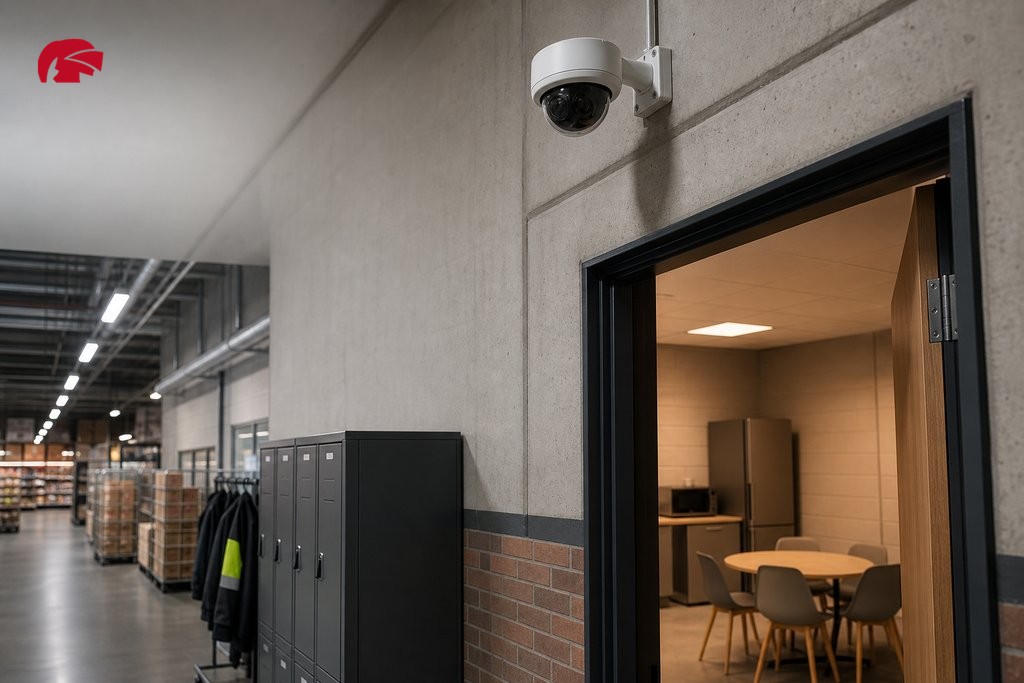
For business operators, masking sensitive areas is often part of a wider compliance obligation rather than a purely technical decision. Shop owners, office managers, and warehouse operators across Manchester and the surrounding boroughs use privacy masking to balance legitimate security coverage with obligations under UK employment law and the Data Protection Act.
Staff welfare areas, toilet entrances, and rest rooms must never be covered by surveillance under any circumstances. Privacy masking provides a configurable and auditable way to enforce that boundary within the camera system itself.
“Consideration of privacy in the architecture of a technical system represents a basic principle. In this context, the right of privacy should be preserved by submitting the data that can be traced back to an individual to a protection mechanism,” notes MDPI Applied Sciences.
Commercial settings often require a formal written CCTV policy alongside the technical configuration, setting out what is monitored, why, who has access to footage, and how long data is retained. Technical masking alone does not substitute for that documentation. Any installer working on commercial premises should raise this with the client during project scoping.
Choosing Equipment With Reliable Privacy Masking
Not all cameras and NVRs implement masking with the same reliability or flexibility. When specifying equipment for installations where privacy zone integrity matters, look for the following capabilities:
- Support for multiple configurable zones per camera
- Masking that persists through firmware updates and reboots
- Block applied at the camera level, not just in software
- Centralised management for larger sites with multiple cameras
Knight Security supplies professional-grade Dahua equipment to trade customers across Manchester and the wider North West, with access to technical support and a dedicated account manager on every approved trade account. For installers specifying systems that need to meet UK compliance standards, having a supplier who understands both the equipment capabilities and the regulatory context makes project delivery more straightforward.
If you are working on an installation in Manchester or the surrounding area that requires masking configuration, next-day delivery on in-stock products, or technical guidance on system selection, speak to the Knight Security team to discuss your project requirements.
Frequently Asked Questions About Privacy Masking in CCTV
- What is the difference between static and dynamic privacy masking?
- Static masking applies a fixed block over a defined area that does not move, making it suitable for fixed cameras in homes and small businesses. Dynamic masking tracks and obscures moving subjects in real time, which is necessary for PTZ cameras that pan, tilt, or zoom across different areas.
- Does privacy masking affect the quality of the rest of the camera footage?
- No. Privacy masking only affects the defined zone. The rest of the camera’s field of view records and displays at full quality, with no impact on resolution, frame rate, or colour accuracy in the unmasked areas.
- Can a neighbour request that I add a privacy mask to my CCTV camera?
- If your camera captures footage of a neighbour’s property, they may raise a complaint with you directly or escalate it to the ICO. Adding a privacy mask over their property is a practical way to resolve the issue without repositioning the camera, and is widely accepted as a proportionate response under UK GDPR.
- Will a privacy mask still work after a firmware update?
- This depends on the camera manufacturer and model. Some systems retain masking settings through firmware updates, while others reset them. Always verify masking configurations after any firmware change, and raise this with your supplier before specifying equipment for compliance-sensitive installations.
- Is privacy masking sufficient for GDPR compliance in a business?
- Masking is one element of compliance, not the whole picture. Businesses also need a written CCTV policy, appropriate signage, defined data retention periods, and access controls. Masking addresses what is captured, but documentation addresses how the system is operated and governed.
- How many privacy zones can a camera support?
- This varies by model. Many professional cameras support between four and eight configurable zones per channel. Higher-specification systems may allow more. Check the camera’s technical datasheet or speak to your equipment supplier to confirm zone limits before installation.
