






How Line Crossing Detection Cameras Protect Your Site

Key Takeaways
Line crossing detection cameras trigger alerts only when a virtual boundary is crossed, giving businesses far more accurate and actionable perimeter security than standard motion detection.
- Line crossing detection cameras monitor a specific virtual boundary rather than the full camera frame, which dramatically reduces false alarms caused by shadows, lighting changes, or background movement in busy outdoor environments.
- Directional filtering lets operators set alerts only for movement crossing in a specific direction, such as entering a restricted zone rather than leaving it, making each alert far more relevant and actionable for site security teams.
- Perimeter line detection performs best where movement follows predictable paths such as warehouse entrances, loading bays, car parks, and gated access points, and camera placement along with adequate lighting are essential for consistent accuracy.
- Camera resolution, onboard edge analytics, IP weather ratings, and compatibility with existing recording equipment are all critical factors to verify before selecting a line crossing detection camera for a commercial site.
- For multi camera installations or projects integrating boundary crossing alerts with access control or remote monitoring platforms, involving a qualified installer from the outset is more reliable and more cost effective than correcting problems after installation.
Line crossing detection cameras are one of the most practical advances in modern perimeter security. Unlike traditional motion-triggered systems, they monitor a specific virtual boundary and only trigger an alert when something crosses it. For shop owners, warehouse operators, office managers, and property owners across Manchester and the wider North West, that distinction makes a real difference. Fewer unnecessary notifications, more reliable monitoring, and less time spent chasing false alarms. This article covers what line crossing detection does, how it is configured, where it performs best, and what to check before specifying a camera for your site. It sits within the broader topic of smart CCTV analytics explained.
Understanding this technology also means knowing where it fits alongside other analytical tools. Topics such as privacy masking in CCTV deserve their own consideration. Here, the focus is specifically on how virtual boundaries work, what drives accurate detection, and how Knight Security helps trade customers specify the right equipment for each project.
What Line Crossing Detection Cameras Actually Do
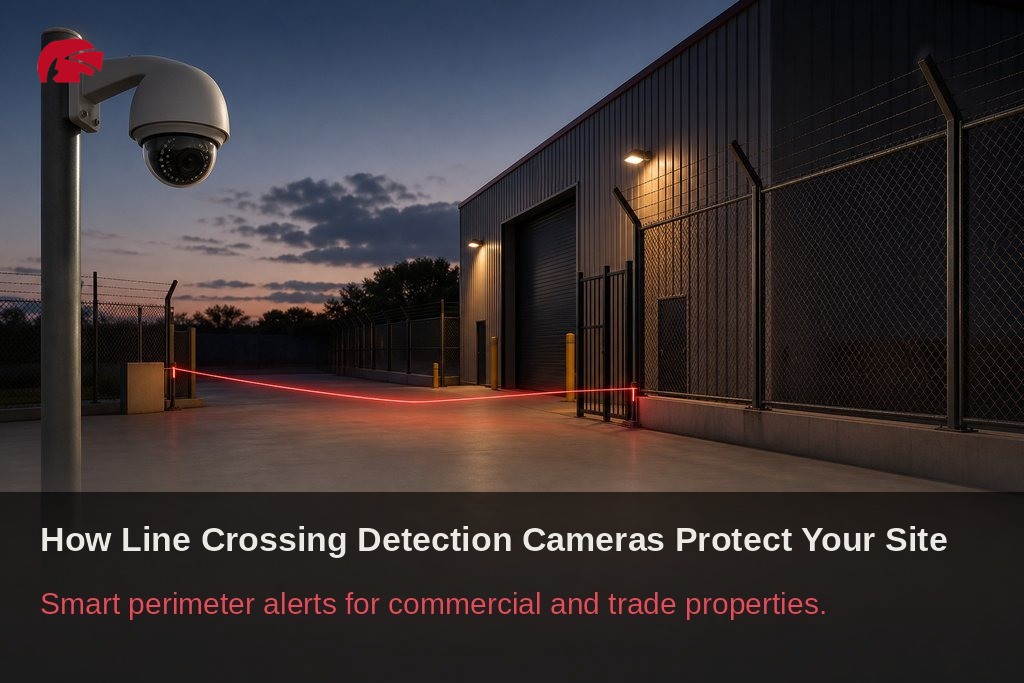
Line crossing detection works by drawing a virtual line within a camera’s field of view. When a person, vehicle, or defined object crosses that line, the system registers the event and can trigger an alert, start a recording, or send a notification to a monitoring platform or mobile device.
This is fundamentally different from standard motion detection, which responds to pixel-level changes across a broad area and is prone to triggering on shadows, foliage movement, or lighting changes. Line crossing detection is anchored to a specific spatial boundary, so the system only responds to events that are genuinely relevant to site security.
This targeted approach significantly reduces false alarms in busy or outdoor environments. A camera covering a delivery yard, for example, can be configured to ignore general activity across the frame while still reliably alerting when someone crosses into a restricted loading zone. Research published by the Journal of Big Data (SpringerOpen) found that virtual line crossing systems combining object detection with directional tracking achieved a maximum relative error below 10% when classifying objects by direction in real-world environments. That level of accuracy represents a meaningful step above a general surveillance feed, though results in practice will vary depending on camera placement, configuration quality, and site conditions.

How Virtual Tripwire Cameras and Boundary Crossing Alerts Are Configured
Setting up a virtual tripwire camera involves more than drawing a line on a screen. The operator defines the position and orientation of the detection line, selects whether boundary crossing alerts should trigger for movement in one direction or both, and specifies which object types, such as people or vehicles, should activate the rule. Most professional-grade cameras also allow sensitivity thresholds to be adjusted so that small or distant objects do not cause unnecessary triggers.
Beyond the basic line setup, operators can refine system behaviour by time of day, adjusting sensitivity during peak hours versus out-of-hours periods when any crossing should be treated as suspicious. Zone size can also be calibrated to concentrate processing on the area most likely to see relevant movement. Research from MDPI Data confirms that processing only a defined region of interest within a camera’s frame, rather than the full image, reduces computational load while maintaining detection reliability. This is a worthwhile consideration for sites running multiple cameras across a network.
Key Configuration Options Worth Understanding
- Directional filtering: Triggers alerts only when movement crosses the line in a specified direction, such as entering a stockroom rather than leaving it, or approaching a gate rather than walking away. This makes alerts far more actionable.
- Intrusion zone rules: Flag anyone who remains within a defined area for longer than a set period, adding a detection layer beyond the crossing event itself.
- Smart zone monitoring: Lets operators isolate multiple high-risk areas within a single camera’s view, each with its own rules and sensitivity settings.
| Configuration Option | What It Does | Best Used For |
|---|---|---|
| Directional filtering | Triggers alerts only for crossing in a specified direction | Entry points, restricted access zones, gated areas |
| Intrusion zone rules | Flags objects that remain within a defined area beyond a set time | Secure storage areas, plant rooms, loading bays |
| Smart zone monitoring | Assigns separate rules and sensitivity to multiple zones in one camera view | Multi-risk sites, large open areas, warehouse floors |
| Sensitivity thresholds | Filters out small or distant objects to reduce unnecessary triggers | Outdoor perimeters, car parks, high-traffic environments |
| Time-based rule adjustment | Modifies detection behaviour based on time of day | Sites with defined operating hours, retail and office premises |
Together, these options allow installers to build a surveillance configuration that reflects the specific risk profile of each site, rather than applying a one-size-fits-all approach.
Where Perimeter Line Detection Works Best on Manchester Commercial Sites
Perimeter line detection delivers the most consistent results where movement follows predictable paths and the camera has a clear, unobstructed view of the crossing point. Warehouse perimeters, car parks, retail stockrooms, gated access points, and loading bays are all well-suited to this technology because the routes people and vehicles take are largely defined by the physical layout of the space. Across Greater Manchester, from industrial estates in Trafford Park and Salford to retail units in the city centre, these are among the most common environments where trade customers deploy virtual tripwire systems.
The key is matching the camera’s field of view and lens coverage to the width of the zone being monitored, so the detection line spans the full crossing area without gaps.
Site conditions affect performance, and it is worth being direct about this. Camera angle, mounting height, and lighting all influence detection reliability. Research published on PMC (PubMed Central) identified partial occlusion, camera shake, and weather conditions including rain, snow, and wind as factors that complicate object detection accuracy in real-world deployments. In the North West, where wet and overcast conditions are common for much of the year, low-light performance deserves particular attention. For any site requiring reliable monitoring after dark, cameras with strong low-light performance, infrared illumination, or starlight sensors are worth specifying.

How Camera Rule-Based Alerts Work and Where Their Limits Lie
Camera rule-based alerts are designed to work within a broader surveillance architecture rather than as standalone tools. When a crossing event is detected, the camera can output an alarm signal to an NVR or DVR, trigger an external device such as a siren or access control barrier, or send a push notification through a VMS or monitoring platform. For commercial sites, this kind of layered response is what transforms a recording system into an active deterrent.
It is equally important to set realistic expectations. Even well-configured systems can produce occasional false triggers, particularly during installation or when site conditions change. A camera tuned during summer may behave differently once trees shed their leaves and alter the background scene, or when seasonal lighting changes affect the frame. Rule-based alerts are only as reliable as the configuration behind them, and that depends on correct camera placement, appropriate sensitivity settings, and a clear understanding of how the site behaves across different times of day and year.
When to Involve a Qualified Installer
For a straightforward single-camera setup in a small retail or office environment, a competent trade buyer with manufacturer documentation can often manage configuration independently. However, as site size increases, or when the project involves integrating line crossing detection cameras with access control, alarm outputs, NVR rules, or remote monitoring platforms, involving a qualified installer is the more reliable and cost-effective route.
Professional installers understand how to position cameras for optimal detection geometry, how to test and validate rules under real site conditions, and how to document the system for future maintenance. Getting the installation right from the outset is considerably less expensive than correcting problems after the fact.

What to Check Before Choosing a Line Crossing Detection Camera
Specification accuracy matters when selecting a camera for commercial use. The following factors are worth verifying before committing to a purchase:
- Resolution: Determines how clearly the system can distinguish between object types at the detection line. Higher resolution matters more as the distance between the camera and the crossing point increases.
- Onboard processing: A camera with built-in edge analytics reduces network load and keeps response times fast, making it the more practical choice for most perimeter applications.
- Weather rating: IP66 or IP67-rated cameras are appropriate for most UK external environments, including the wetter conditions typical across Greater Manchester. IK ratings indicate resistance to physical impact, which matters in exposed or high-traffic locations.
- Compatibility: Confirm compatibility with existing recording equipment before purchase, especially if the site runs a mixed NVR environment or a third-party VMS.
- Feature depth: Entry-level cameras may list line crossing detection as a feature but lack the processing depth or configurability of professional-grade models. For commercial sites where sustained perimeter detection is required, that difference is worth understanding before purchase.
| Specification Factor | Why It Matters | What to Look For |
|---|---|---|
| Resolution | Affects ability to distinguish object types at the detection line | Higher resolution for longer detection distances |
| Onboard processing | Reduces network load and speeds up alert response | Built-in edge analytics for most perimeter applications |
| Weather rating | Determines suitability for outdoor and exposed environments | IP66 or IP67 minimum; check IK rating for impact resistance |
| Compatibility | Ensures integration with existing recording and VMS infrastructure | Verify NVR and VMS compatibility before purchase |
| Feature depth | Entry-level models may lack configurability for sustained perimeter use | Professional-grade models for commercial sites requiring reliable detection |
How Knight Security Supports Manchester Trade Customers with Camera Specification
Knight Security is a UK trade-only distributor and authorised Dahua partner, giving trade customers across Manchester and the surrounding region access to Dahua’s professional surveillance range at genuine trade pricing, without the mark-ups or time-limited promotions that complicate project budgeting. Every approved trade customer is assigned a dedicated account manager whose role is to support specification decisions, not just process orders.
For projects involving line crossing detection cameras, that support can make a meaningful difference between a system that performs reliably across all site conditions and one that requires revisiting after installation. Next-day delivery on over 2,000 in-stock products means project timelines are not held up by lead times, and technical support is available during the planning stage, not just when something goes wrong.
Whether you are specifying a single virtual tripwire camera for a retail stockroom in the city centre or building out a multi-site perimeter detection system for a larger commercial client across the North West, Knight Security works through the specification with you rather than leaving you to navigate it alone. Get in touch with your account manager, or apply for a trade account today, to discuss the right cameras for your next project.

Frequently Asked Questions About Line Crossing Detection Cameras
What is the difference between line crossing detection and standard motion detection?
Standard motion detection responds to pixel-level changes across a wide area, making it prone to false triggers from shadows, foliage, or lighting shifts. Line crossing detection only activates when an object crosses a defined virtual boundary, making it far more targeted and reducing unnecessary alerts on busy commercial sites.
Can a line crossing detection camera trigger external devices like alarms or barriers?
Yes. When a crossing event is detected, most professional cameras can output an alarm signal to an NVR or DVR, activate a siren, trigger an access control barrier, or send a push notification via a VMS or monitoring platform. This integration is what makes these cameras useful as active deterrents rather than passive recorders.
How do I reduce false alarms on a virtual tripwire camera?
Adjusting sensitivity thresholds, enabling directional filtering, and calibrating the detection zone to focus on the relevant crossing area all help reduce false triggers. Reviewing and updating settings seasonally, particularly when foliage or lighting conditions change, also improves long-term reliability.
What IP rating should I look for on a line crossing camera used outdoors in the UK?
IP66 or IP67-rated cameras are suitable for most UK outdoor environments, including the wetter climate typical of Greater Manchester. If the camera will be mounted in an exposed or high-traffic location, also check the IK rating, which indicates resistance to physical impact.
Do I need a professional installer to set up a line crossing detection system?
For a single camera on a small site, a competent trade buyer with manufacturer documentation can often handle the configuration. For larger sites, or where integration with access control, NVR rules, or remote monitoring is involved, a qualified installer will deliver a more reliable outcome and reduce the risk of costly corrections later.
